Franc
Track every account, transaction, and budget on your iPhone. Log it by voice, recognised on your phone. No accounts to create. No server to trust. No subscription to cancel.

Your money, on your phone.
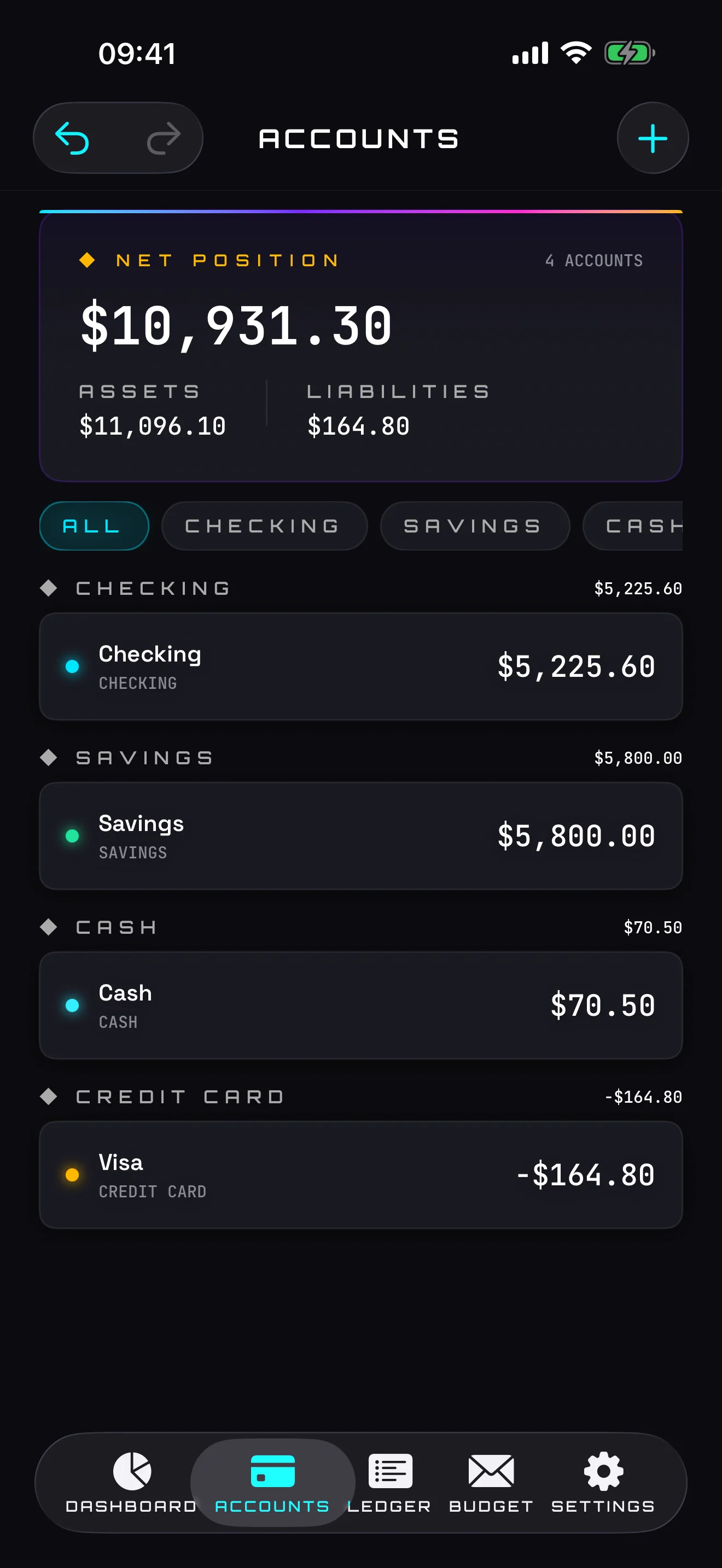
Every account type
Checking, savings, cash, credit card, loan, investment. Track them all in one place — no bank linking, no API key, no cloud handshake.
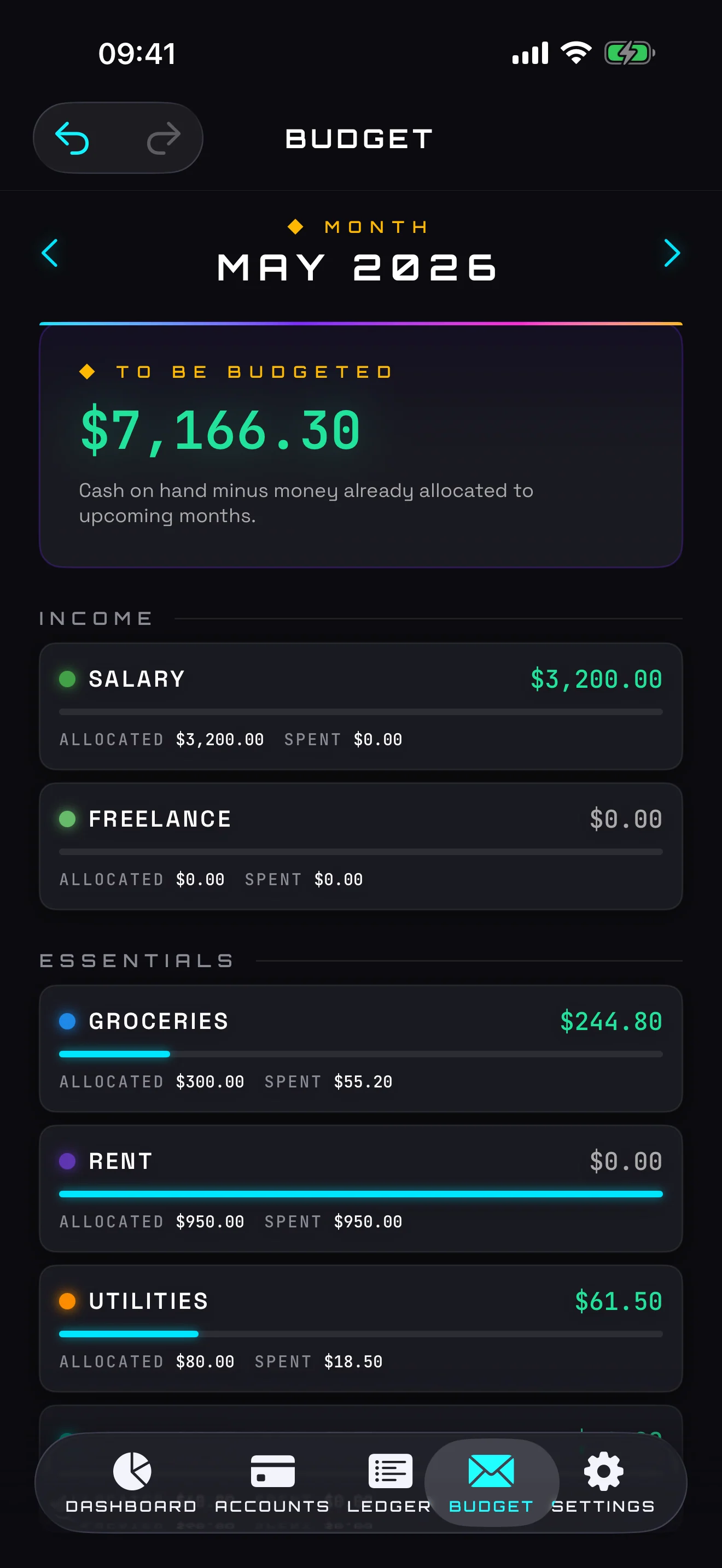
Envelope budgeting
Allocate the money you actually have to each category, month by month. The classic envelope method, rebuilt for iPhone.
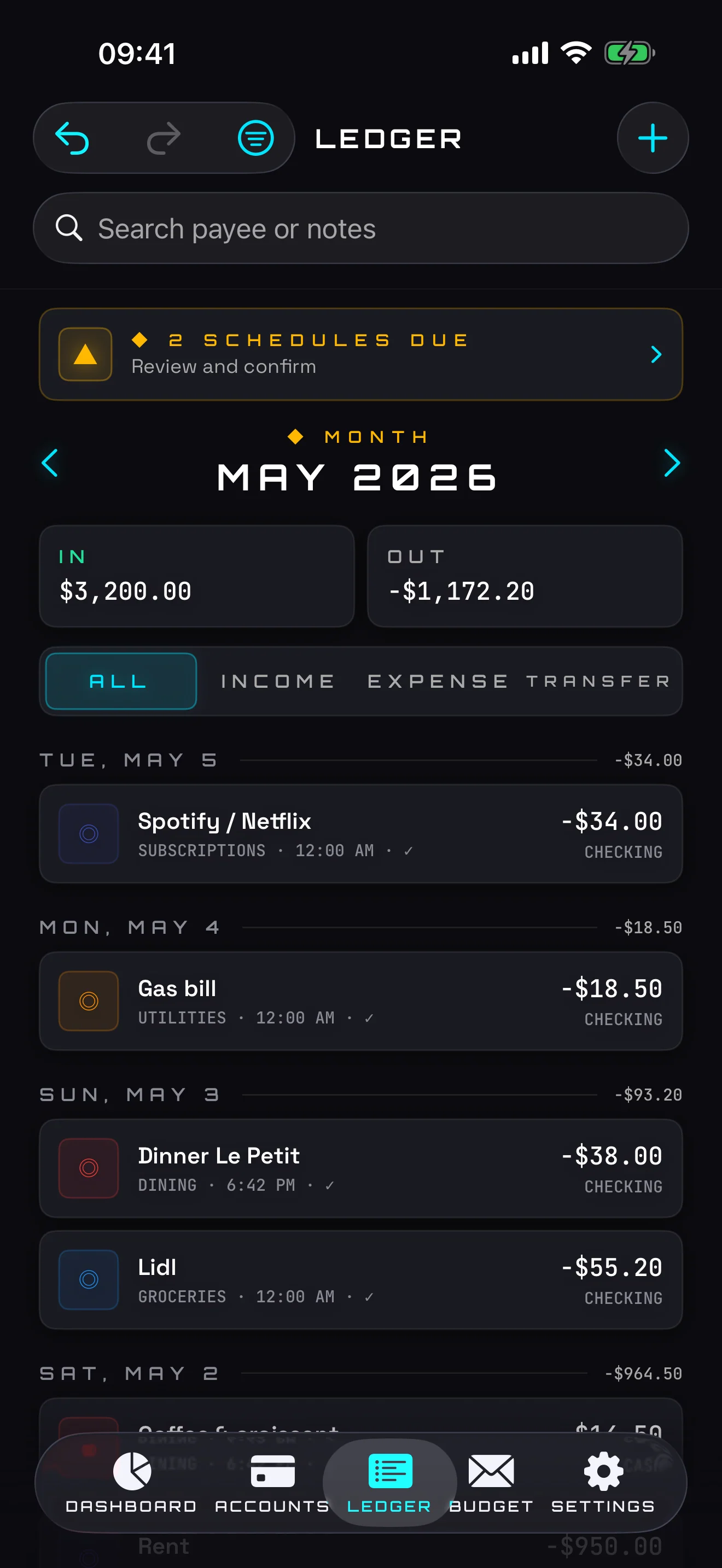
Recurring transactions
Rent, salary, subscriptions: schedule them once. Opt in to a local reminder when something is due. No push servers, everything is scheduled on your phone.
Two-tap transfers
Move money between your own accounts in two taps. Transfers are two-sided by construction — both ledgers stay in sync, every time.
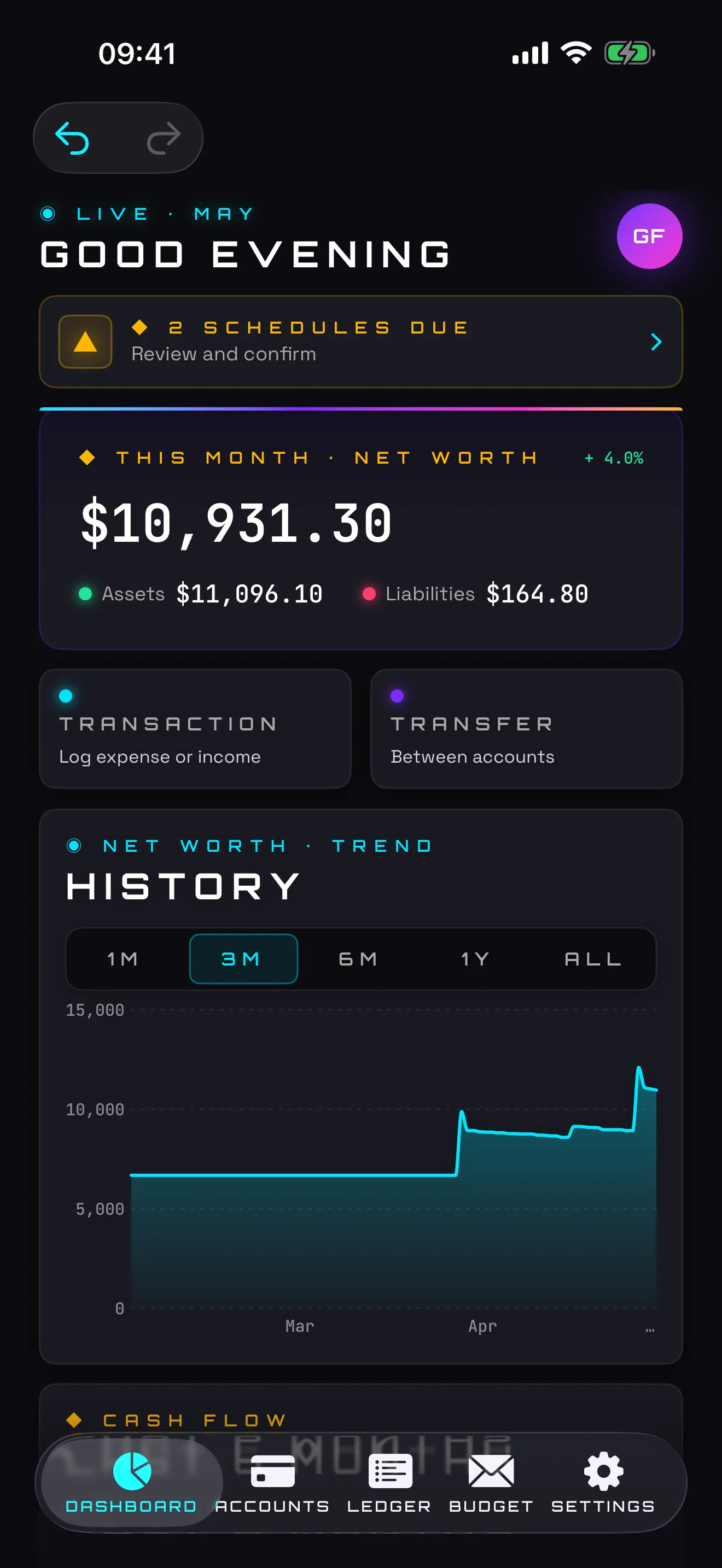
Dashboard with charts
Net worth, asset/liability split, monthly cash flow — all on one screen, no scrolling required. The data you actually look at.
Export anytime
One tap exports your entire ledger to a CSV or JSON file via the iOS share sheet. AirDrop it, email it, save it to Files. Your data, your choice.
Voice entry, on-device
Tap the mic and just say it: "twelve fifty groceries". Your speech is recognised entirely on your phone and never leaves it. Review before it's saved.
Switch via CSV import
Moving over from another tracker? Bring your history in from a CSV file. Map the columns once, preview, and commit. EU decimal commas and common date formats are handled for you.
Subscriptions view
Flag any recurring expense as a subscription and see them all in one place, with your total monthly and yearly cost rolled up.
Tags
Add free-form tags to any transaction, filter the ledger by tag, and see the total you've spent per tag.
Siri & Shortcuts
Log an expense or income hands-free through Siri or the Shortcuts app. Long-press the app icon for Quick Actions.
Home Screen widgets
A Quick-Add widget jumps straight into a new entry. A Net-Worth widget shows assets, liabilities and net worth at a glance.
What you'll actually see.
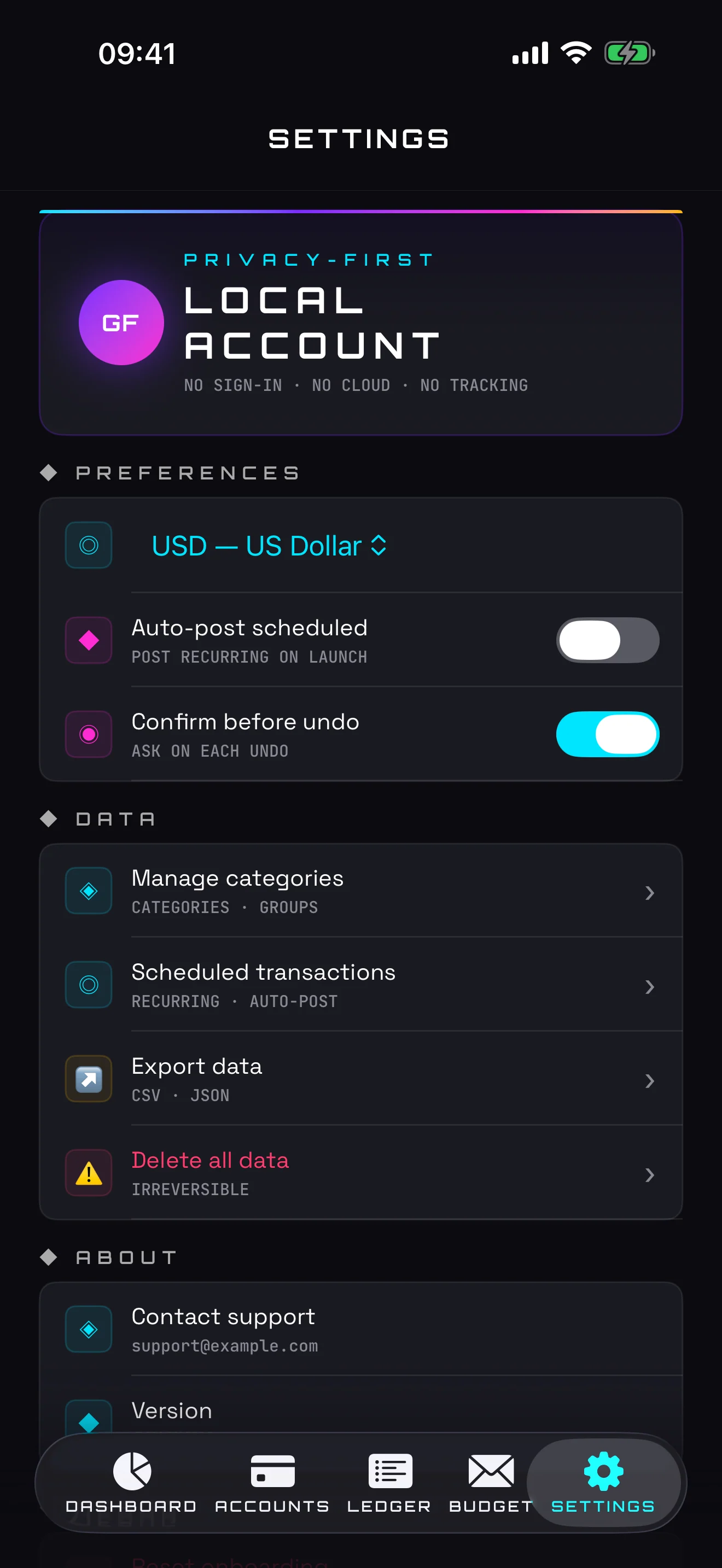
No account.
No servers.
No tracking.
Franc collects no data. Nothing leaves your device unless you explicitly export it. Voice recognition runs on-device and reminders are scheduled locally. The app uses local on-device storage with no network access — there is no telemetry, no crash reporter phoning home, no analytics SDK.
Read the full privacy policy →- No account or signup required
- No cloud sync · no backend at all
- Voice recognised on-device only
- Reminders scheduled locally · no push servers
- No analytics or crash reporters
- No advertising or tracking SDKs
- No bank linking · no third-party APIs
- No subscription, ever
Frequently asked questions
Does Franc require an account or signup?
No. Franc requires no account and no signup. You can start tracking your money the moment you open the app.
Is my financial data private?
Yes. Franc collects no data and uses local on-device storage with no network access. Nothing leaves your device unless you explicitly export it — there is no telemetry, crash reporter, or analytics SDK.
Does Franc have a subscription?
No. Franc is a one-time purchase of €7.99 for iPhone and iPad. There is no subscription, ever.
What devices does Franc run on?
Franc runs on iPhone and iPad with iOS 17 or later.
Can I export my data out of Franc?
Yes. One tap exports your entire ledger to a CSV or JSON file via the iOS share sheet, so you can AirDrop it, email it, or save it to Files.
Does voice entry send my voice to a server?
No. Speech recognition runs entirely on your device. What you say never leaves your phone, and you review the parsed transaction before it is saved.
Can I import data from another budgeting app?
Yes. Franc imports your transaction history from a CSV file: map the columns once, preview the result, and commit. EU decimal commas and common date formats are handled automatically.
Stop paying for a finance app every month.
Available now · iPhone & iPad · iOS 17+ · €7.99 one-time · No subscription

Franc
Hou elke rekening, transactie en begroting bij op je iPhone. Spreek het in, herkend op je toestel. Geen account, geen server, geen abonnement.
Jouw geld, op jouw telefoon.
Elk type rekening
Zicht, spaar, cash, kredietkaart, lening, beleggingen. Alles op één plek — geen bankkoppeling, geen API-sleutel, geen cloud-handshake.
Envelop-budget
Wijs het geld dat je écht hebt toe aan elke categorie, maand per maand. De klassieke envelop-methode, opnieuw gebouwd voor iPhone.
Terugkerende transacties
Huur, loon, abonnementen: eenmalig inplannen. Schakel een lokale herinnering in wanneer iets vervalt. Geen pushservers, alles wordt op je toestel gepland.
Overschrijvingen in twee taps
Verplaats geld tussen je eigen rekeningen met twee taps. Overschrijvingen zijn altijd tweezijdig — beide grootboeken blijven gelijklopend.
Dashboard met grafieken
Nettowaarde, activa/passiva, maandelijkse cashflow — alles op één scherm. De cijfers waar je écht naar kijkt.
Exporteer wanneer je wilt
Eén tap exporteert je volledige grootboek naar een CSV- of JSON-bestand via het iOS-deelmenu. AirDrop, e-mail, opslaan in Bestanden. Je data, jouw keuze.
Inspreken, op je toestel
Tik op de microfoon en zeg het gewoon: "twaalf vijftig boodschappen". Je spraak wordt volledig op je toestel herkend en verlaat je telefoon nooit. Controleer voor het opslaan.
Overstappen via CSV-import
Stap je over van een andere tracker? Breng je geschiedenis binnen vanuit een CSV-bestand. Koppel de kolommen één keer, bekijk het voorbeeld en bevestig. Decimale komma's en gangbare datumnotaties worden voor je verwerkt.
Abonnementenoverzicht
Markeer een terugkerende uitgave als abonnement en zie ze allemaal op één plek, met je totale maandelijkse en jaarlijkse kost opgeteld.
Labels
Voeg vrije labels toe aan elke transactie, filter het grootboek per label en zie hoeveel je per label hebt uitgegeven.
Siri & Opdrachten
Boek een uitgave of inkomst handenvrij in via Siri of de Opdrachten-app. Houd het app-icoon ingedrukt voor snelle acties.
Widgets voor je beginscherm
Een Snel-toevoegen-widget start meteen een nieuwe boeking. Een Nettovermogen-widget toont activa, passiva en nettovermogen in één oogopslag.
Wat je écht te zien krijgt.
Geen account.
Geen servers.
Geen tracking.
Franc verzamelt geen data. Er verlaat niets je toestel tenzij je het zelf exporteert. Spraakherkenning gebeurt op het toestel en herinneringen worden lokaal gepland. De app gebruikt lokale opslag zonder netwerktoegang — geen telemetrie, geen crashrapporteerder die naar huis belt, geen analytics-SDK.
Lees het volledige privacybeleid →- Geen account of registratie vereist
- Geen cloud-sync · geen backend
- Spraakherkenning enkel op je toestel
- Herinneringen lokaal gepland · geen pushservers
- Geen analytics of crashrapporteerders
- Geen reclame of tracking-SDK's
- Geen bankkoppeling · geen externe API's
- Geen abonnement, ooit
Stop met elke maand betalen voor een budget-app.
Nu beschikbaar · iPhone & iPad · iOS 17+ · €7,99 eenmalig · Geen abonnement